

Context
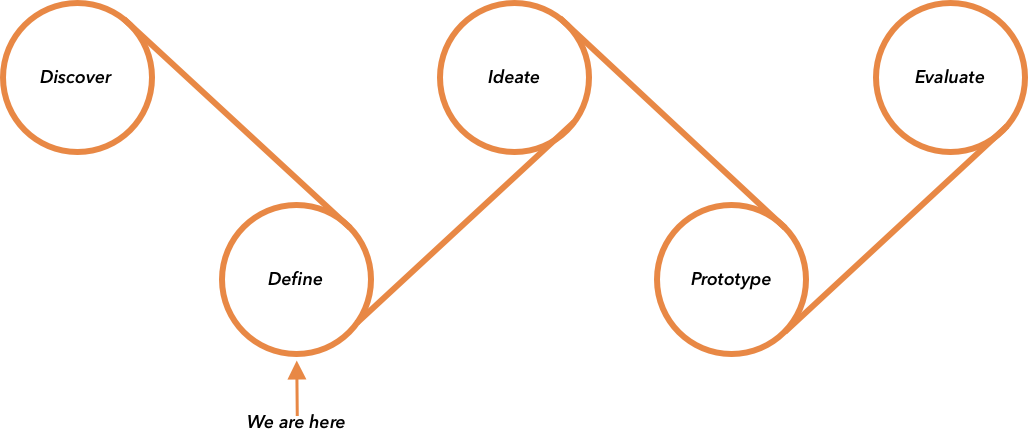
In Jan 2020, many of Mailchimp’s new features such as ads, social posts, and landing pages had lower than expected adoption and usage rates. Mailchimp’s retention rates were on a decline. Realization: Just cus you build it, doesn’t mean they’ll come
We knew competitors were catching up and in some ways beating Mailchimp in email capabilities and while Mailchimp has improved early customer retention, we still see high loss rates for longer-term customers.
In particular we were interested in advanced email features that could make users “sticky.”
Product Lifecycle
Research Questions
Why do paying users leave Mailchimp after 9-12 months?
How broad or narrow are people’s reasons for leaving? Is it big/specific issues or death by a thousand cuts, or some combination?
What outside factors influence churn? (COVID, economy, competitor offerings, market trends)
Are there commonalities among users who leave? Do they leave because of similar features?
Behavior vs perception: Are there significant differences between what users think and feel about Mailchimp vs what they actually do in the product?
Methodology, Responsibilities, and Outcomes
Step 1: Exit Survey Review
ROLE - Lead: Analysis our exit/churn survey and recruit interesting, representative users.
Collaboration w/Market Insights
Starting point to understand:
Why a user left Mailchimp?
What competitor they left for and why they chose them?
Inform the recruiting pool and discussion guides.
Exit Survey Findings
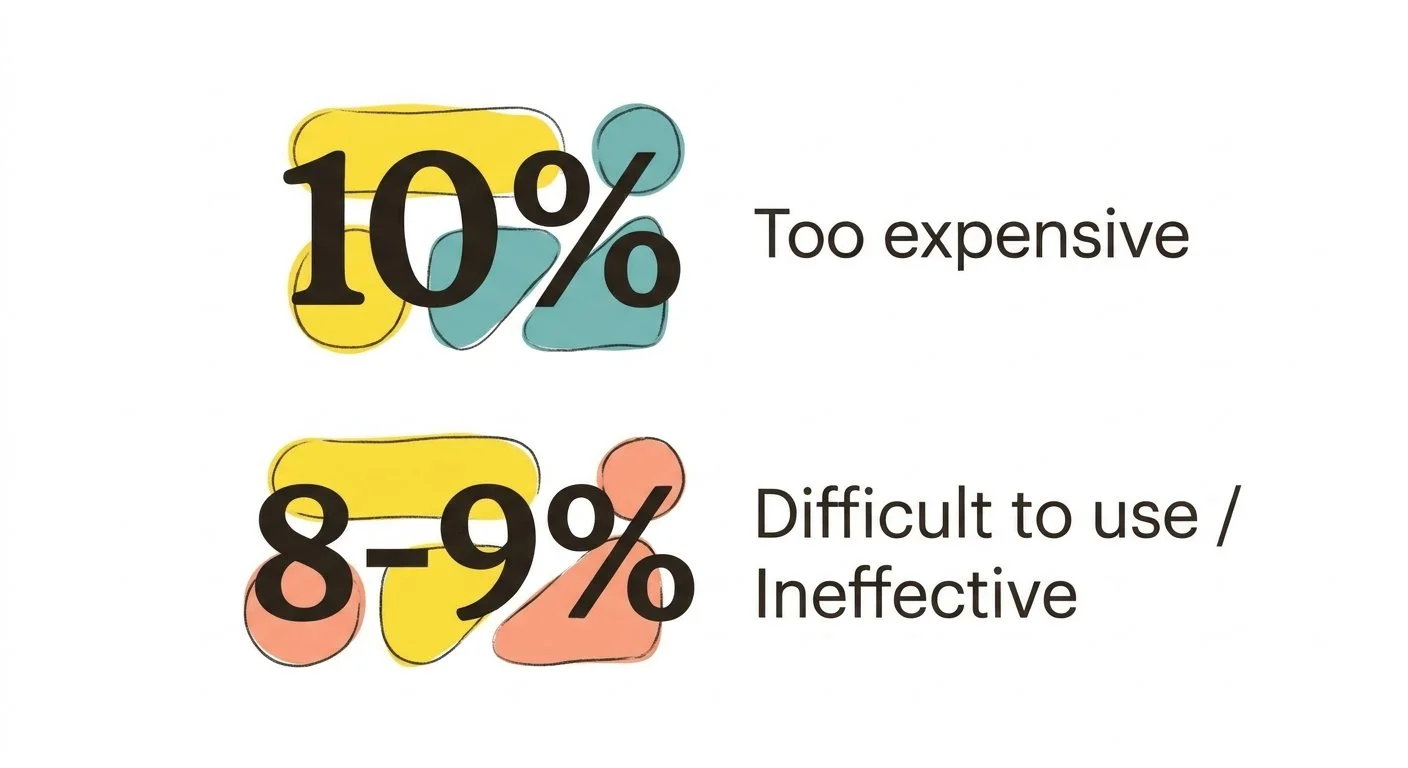
Not only is Mailchimp expensive, it doesn’t always deliver results:
Roughly 10% reported MC is too expensive with 8-9% reporting it’s difficult to use and ineffective

Users were leaving to competitors with fewer features than Mailchimp
Many users were leaving for competitors like Klayvio which had more sophisticated analytical tools
But many were leaving for smaller competitors with fewer capabilities than Mailchimp like Flodesk, Constant Contact, and MailerLite
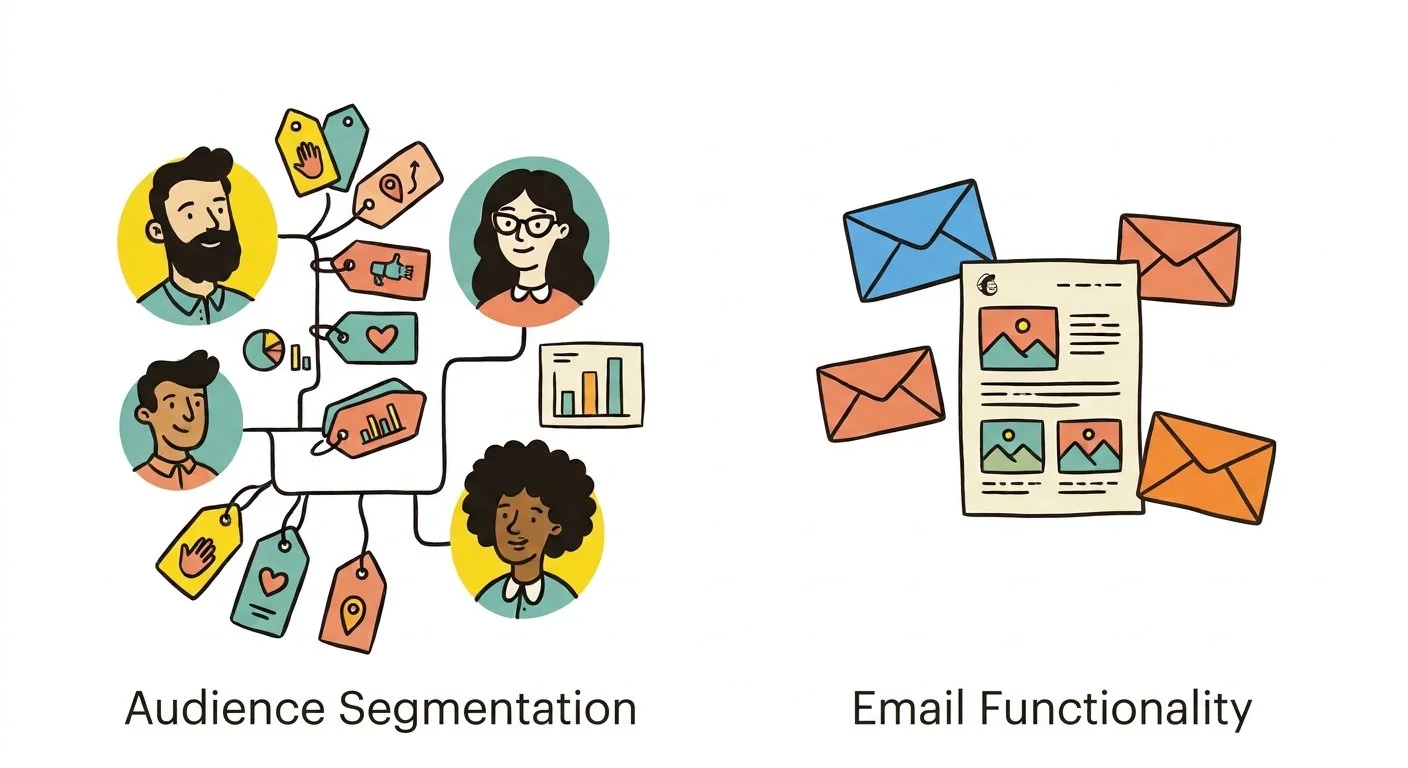
Users were leaving due to confusion regarding Audience Segmentation, and difficulty with creating emails.
However, we didn’t get much detail regarding these issues in open-ended responses.
Step 2: Switch Interviews
ROLE - Protocol creation, documentation, moderation, synthesis.
Basing script on Jobs-to-be-Done philosophy to understand on a high-level:
Why did they hire Mailchimp in the first place?
Why did they fire Mailchimp?
Really focus in on those memorable switch events
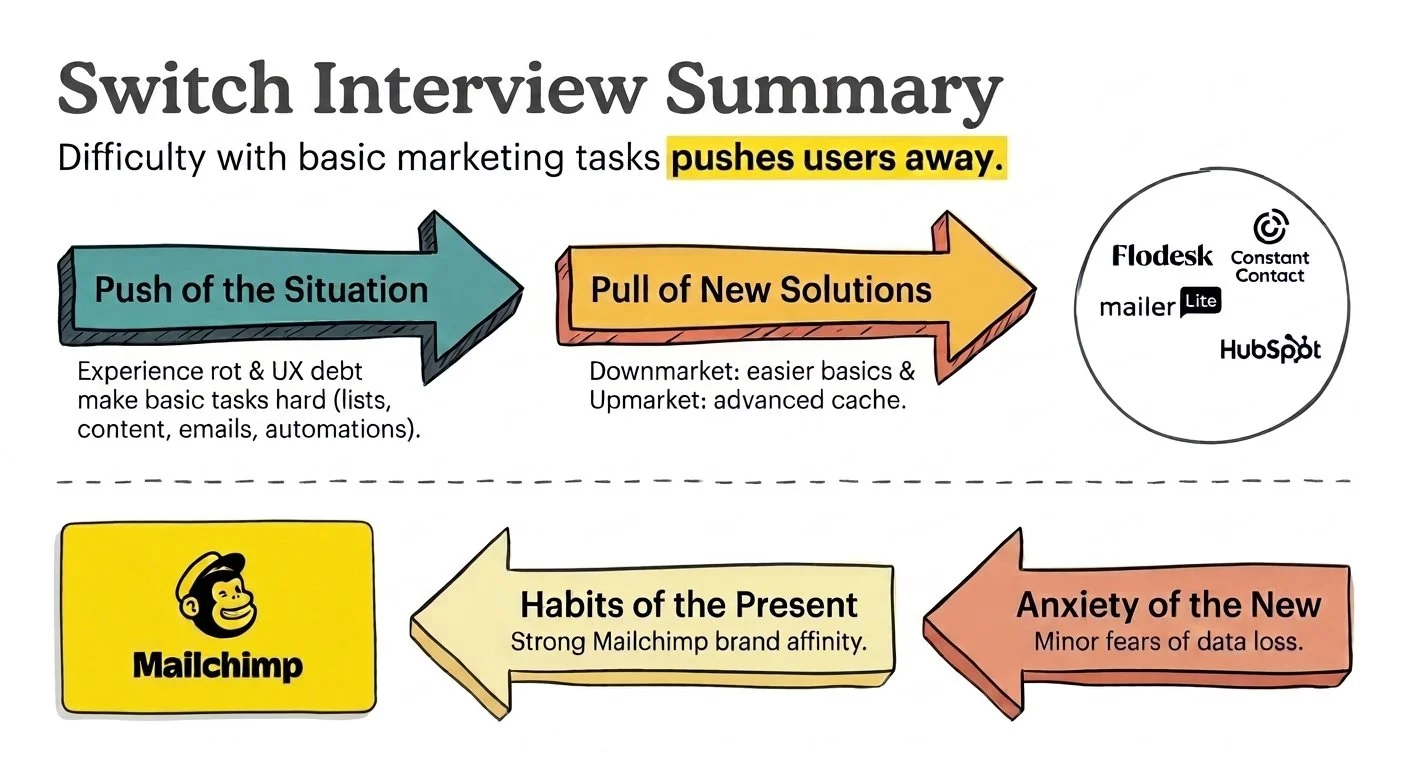
Switch Interview Findings from 13 Interviews
Competitor Feature Sets are More Appealing
Users are PULLED TOWARDS competitors due to difference in feature set and quality.
Downmarket competitors have basics that Mailchimp failed at
Upmarket competitors have a feature set that Mailchimp can’t compete with just yet
Users only stayed with Mailchimp due to minor anxiety of data loss and an affinity for Mailchimp’s strong and unique branding.
Mailchimp UX Debt and Experience Rot
Users are PUSHED AWAY from Mailchimp due to Experience Rot / UX Debt:
Emails not being delivered
Creating and segmenting an contact list is too difficult
Email design experience is dated.
Step 3: Support and Usage Data Analysis
ROLE - Analysis and Synthesis. Collaboration w/Product Support Analytics

Goal
Examine our 13 interviewees usage data and support chats with a magnifying glass, to get around memory issues we heard in interviews (“I don’t remember,” “That was so long ago, all I really remember is XYZ.”).
Support and Usage Data Analysis Findings
Findings helped us understand technical details of issues we heard in interviews primarily around email deliverability and usability of Audience organization features

Settings and domain authentication
Email deliverability settings and domain authentication had either never been set, or weren’t set until years laters causing emails to never be delivered to contact inboxes
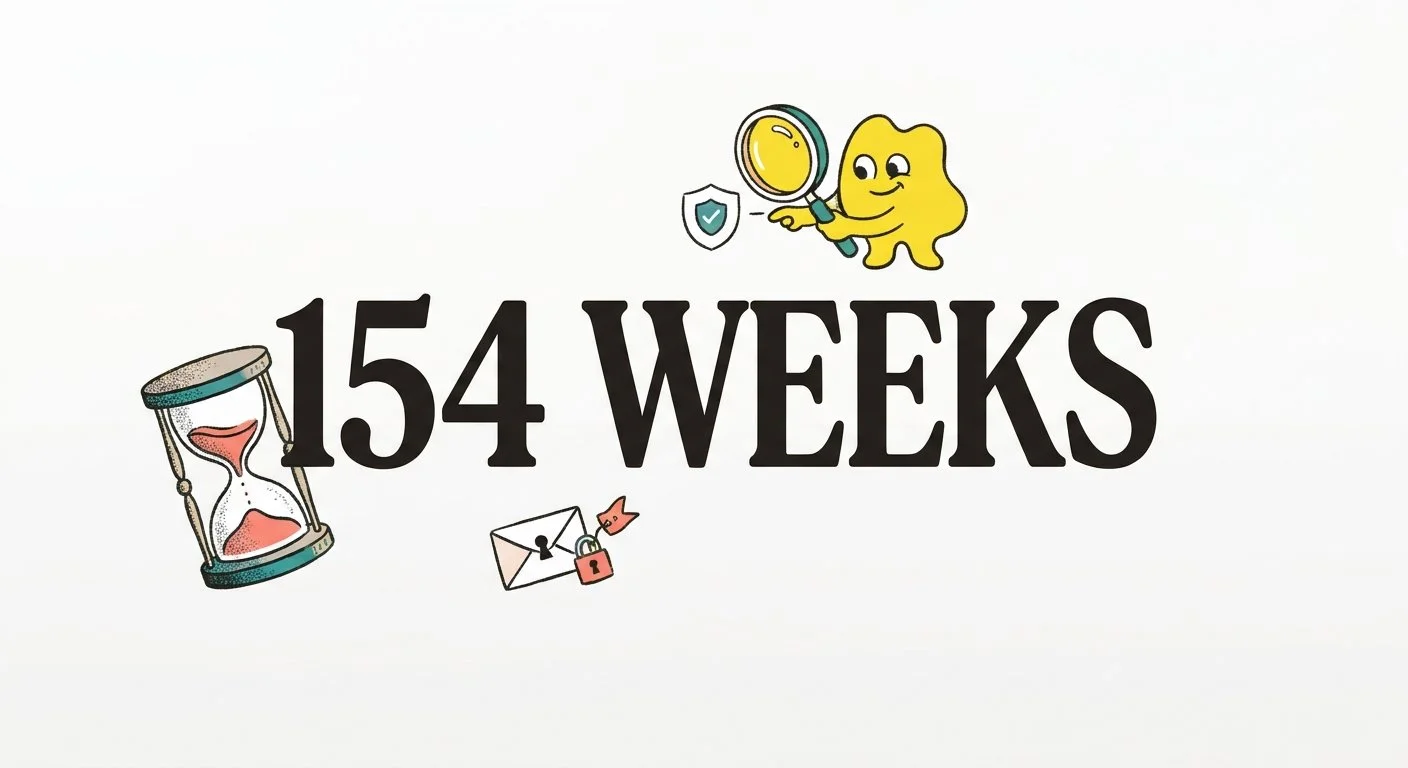
Users with domain authentication issues were unaware of the issue for a long time.
154 weeks was the average age of accounts who contact support about domain authentication.
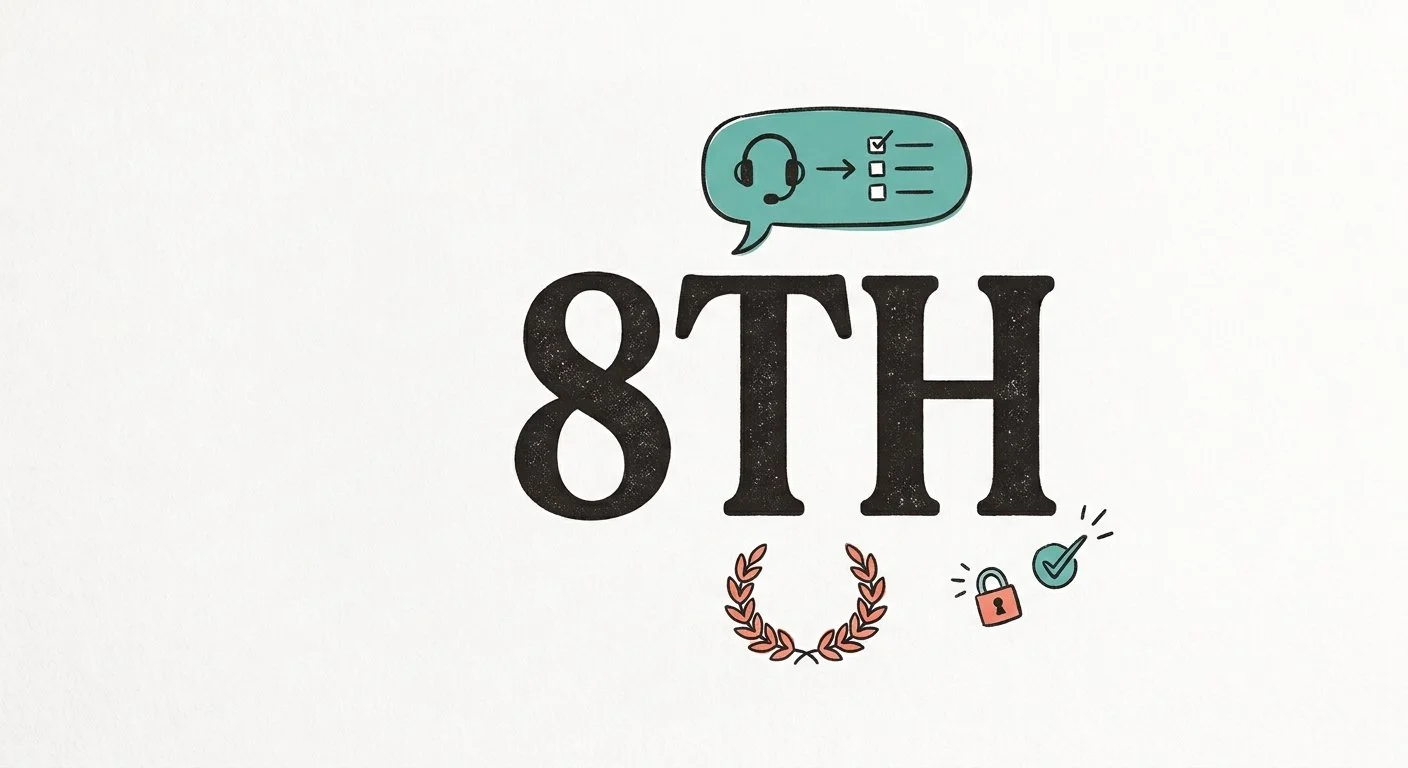
Domain authentication is a long-standing, impactful user problem.
Domain authentication was the 8th most common support topic. Had been in the top 10 for years.

A decent amount of users had repeat problems with domain authentication.
15% was the proportion of domain auth. Support requests that involve more than one interaction

Mailchimp features didn’t match their needs
Users mentioned our pop-up forms feature wasn’t collecting new data properly.
Turns out they expected to be able to use forms in a way Mailchimp doesn’t allow, limiting the usefulness of the feature for them.
Recommendations and Impact
The inability to complete basic tasks in Mailchimp was pushing users away while competitors pull users in simply by meeting basic feature and usability expectations, even if their feature set was lesser.
Audience Management
Users need help creating a new audience list, segmenting an existing list, and learning about that list through various means
RECOMMENDATION
Iterate on our forms feature to match user expectations user needs re: how users expect to segment, and make iterations accordingly
IMPACT
1. Synthesized existing research into a shared conceptual model of audience segmentation, helping resolve team misalignment and establish a clearer product direction.
2. Identified opportunities to iterate on forms and audience creation experiences to better match user expectations.
Deliverability
Users need to ensuring emails are delivered, that is the bottom-line.
RECOMMENDATION
Add domain authentication setup to onboarding. Prevent deliverability failures and reduce support volume
IMPACT
Domain authentication became a core usability focus for the relevant team due to its impact on baseline deliverability.
Email Content + Design
Users want to quickly design emails and automations, whether that was help with design or content
RECOMMENDATION: Modernize our email templates AND set up and measure 9-12 month retention of users who adopt the new editor, automations, and creative assistant features that were to be released soon after this study.
IMPACT
Provided user-centered rationale for investing in the new editor, automations, and creative assistant capabilities. Identified opportunities to help users overcome content and design challenges through more accessible creative tools and assisted content generation.
Organizational Impact: Ongoing Churn Program
Elevated churn as a company-wide KPI: Leadership prioritized churn as a key measure of business health, establishing accountability for retention across product teams.
Established a continuous churn research program: Following leadership's prioritization of churn as a company-wide KPI, UX Research and Marketing Research introduced a joint monthly research program, aiming to interview churned users on a monthly basis with quarterly readouts.
Insight Framing and Reflections
People can only appreciate innovation once basic needs are met

Think of the brakes on your car.
Without brakes, your car isn’t worth driving.
It doesn’t matter who you are, why you drive, how often you drive, or whether you have passengers with you. Everyone needs functional brakes
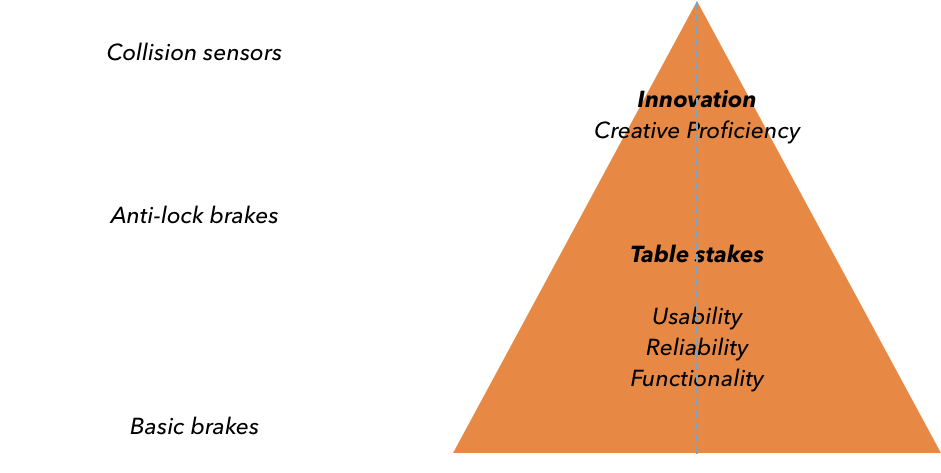
It doesn’t matter who you are, why you drive, how often you drive, or whether you have passengers with you. Everyone needs functional brakes
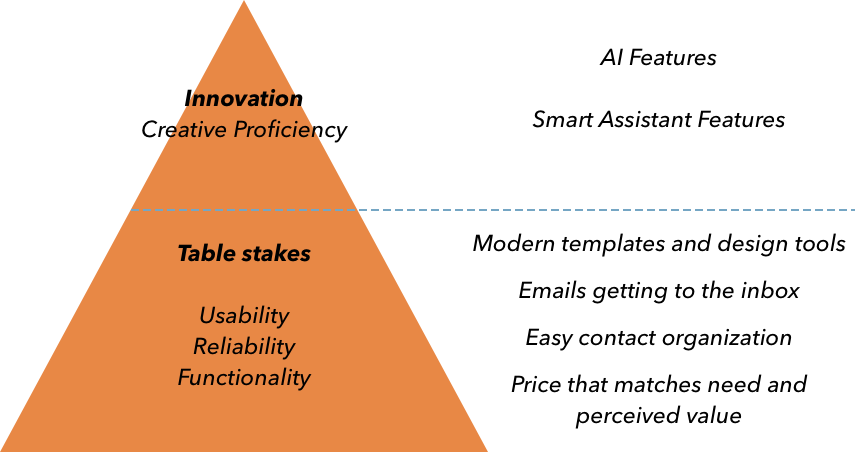
People can only appreciate innovation once basic needs are met.
Research Approach Reflection: Insight Triangulation
By comparing qualitative feedback from the interviews, observed behavior in usage and support data, and our quantitative data from the survey, we can identify converging patterns and validate insights with more confidence. This reduces reliance on any single data source and builds stronger evidence for informed product decisions.
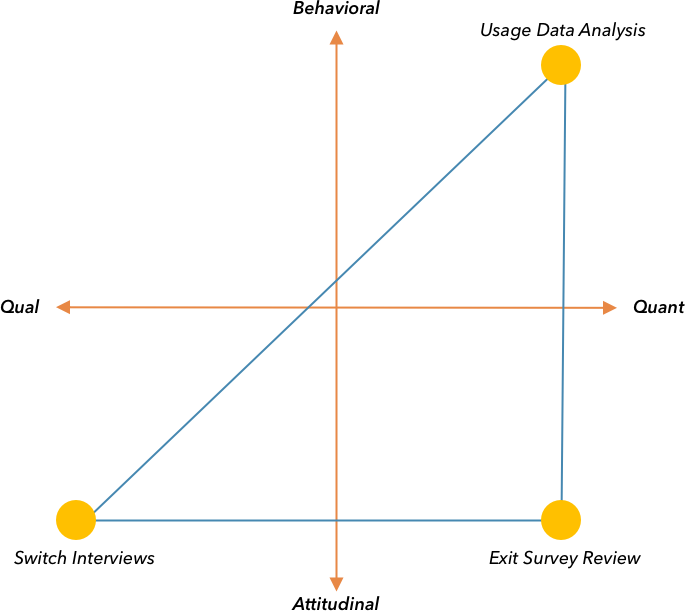
The chosen methods allowed us to tell a more holistic story that is better able to triangulate the core problem we are aiming to define.